How Real Estate Photographers Keep Property Shoots Organized, Efficient, and Ready for Listing Day
A practical guide to the intake forms, preparation checklists, shot plans, access records, and delivery logs that support an organized property shoot.
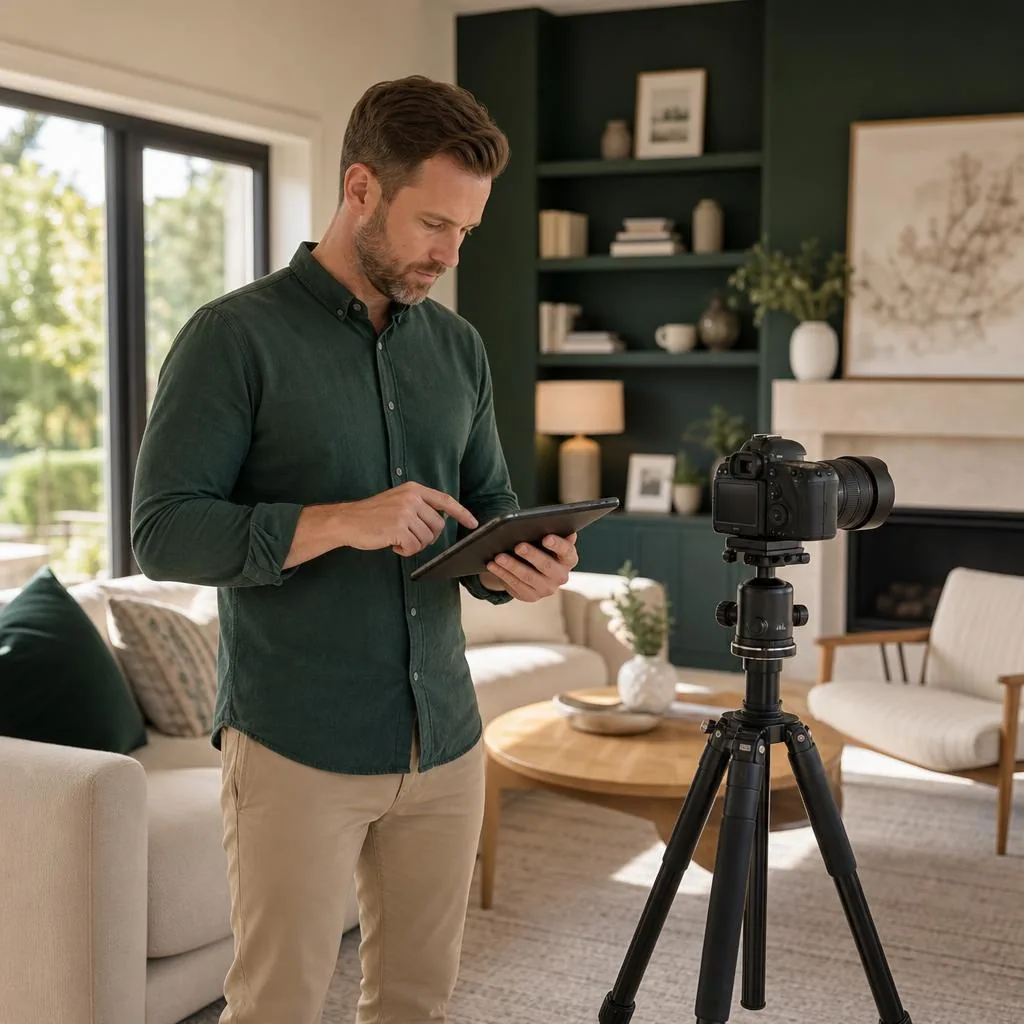
Real estate photography is one of the most influential elements in a property listing. Buyers often make quick decisions about whether a home feels worth exploring, while agents rely on photographers to represent the property clearly and deliver media that supports the listing.
Behind every polished gallery is a structured workflow. A successful real estate photographer is not only a visual specialist, but also a project manager, communicator, logistics coordinator, and record keeper. A repeatable process helps keep each shoot organized, efficient, and aligned with the agent’s expectations.
This guide explores the workflow behind a professional real estate shoot, the documents that keep each stage moving, and the habits that support consistent results from the initial request through final delivery.
Why structure matters more than creativity
Creativity shapes the final images, but consistency makes the service dependable. Agents may expect accurate room representation, consistent angles, suitable lighting, clear coverage of property features, on-time delivery, and media prepared for the agreed listing and marketing channels.
Without structure, a photographer can miss rooms, forget exterior coverage, overlook a special request, apply inconsistent edits, or deliver later than expected. A documented plan reduces these risks by giving the photographer and listing contact one shared reference.
The pre-shoot phase: where professionalism begins
A real estate shoot begins before the photographer arrives. The pre-shoot phase defines the assignment, prepares the property, and confirms how and when the photographer can enter.
1. Agent intake and expectations
Every agent and property can have different requirements. Preferences may cover perspective, editing style, image quantity, detail shots, twilight or drone requests, floor plans, video, virtual tours, exterior coverage, and delivery formats.
A Property Photography Intake records the address, property type, occupancy, listing contact, requested media, rooms, special features, access notes, pets, restrictions, readiness, and delivery needs. This keeps important instructions together instead of scattering them across calls and messages.
2. Property preparation
A Photography Site Readiness & Safety Checklist helps the listing contact prepare the home and gives the photographer a practical arrival review. It can cover clutter, lighting, blinds, walkways, pets, occupants, valuables, vehicles, exterior conditions, equipment areas, and restricted spaces.
A prepared property saves time and helps the photographer focus on the agreed coverage. The checklist also makes preparation responsibilities visible before the appointment rather than leaving them to assumption.
3. Scheduling and access coordination
The photographer may need to confirm the arrival window, listing contact, lockbox or key arrangements, occupied-area instructions, homeowner or tenant availability, weather considerations, and the lock-up procedure.
A Property Access & Entry Authorization records who approved entry, which spaces are available, what restrictions apply, and whom to contact if the plan changes. This is especially useful when the owner, tenant, agent, and photographer are different people.
The on-site workflow: capturing the property efficiently
Once on site, the photographer’s workflow determines whether the assignment moves smoothly and whether the agreed coverage is completed before departure.
1. Walkthrough and planning
Before shooting, the photographer can walk through the property to identify lighting challenges, plan angles, confirm special features, review staging, and ensure that requested rooms are accessible.
If an area is restricted, occupied, unsafe, or materially different from the original plan, recording that condition before work continues creates a clearer account of what was available on the day.
2. Room-by-room shooting
A Property Shot List & Media Plan organizes the front exterior, entryway, living spaces, kitchen, dining area, bedrooms, bathrooms, basement, backyard, garage, and requested features. It can also track video, floor-plan, tour, or detail-shot requirements.
The list should match the actual assignment rather than assume every property needs identical coverage. As a working record, it helps the photographer mark completed, skipped, unavailable, or client-declined shots before leaving.
3. Lighting and exposure consistency
The photographer can review interior lights, blinds, available daylight, mixed color temperatures, reflections, and harsh shadows while maintaining the agreed visual approach across rooms. Consistent exposure and color help the final gallery feel cohesive.
4. Detail shots and feature highlights
Agents may request appliances, fixtures, flooring, countertops, storage, outdoor amenities, renovations, views, or architectural details. Recording these priorities prevents important feature requests from being lost during the room-by-room workflow.
A Property Condition & Media Use Acknowledgement can also record visible conditions, privacy-sensitive areas, occupant responsibilities, ordinary access considerations, and the agreed use of the resulting media. It should be adapted to the property, client, service, and jurisdiction.
The post-shoot workflow: where professionalism shows
The shoot is only part of the assignment. File organization, editing, delivery, revision tracking, and confirmation determine whether the final handoff is complete and easy for the listing contact to understand.
1. Editing and file management
The photographer can organize source files, apply the intended editing approach, correct lens distortion where appropriate, balance color and exposure, and export media for the agreed channels. File specifications should come from the client or platform requirements rather than assumptions.
2. Delivery timelines and records
A Media Capture & Delivery Log records captured areas, skipped shots, site conditions, client directions, delivered files, delivery dates, formats, special edits, revision requests, and acceptance. This connects the original plan with the final handoff.
3. Communication and confirmation
A delivery message can provide the gallery or file link, describe what is included, note unavailable or substituted coverage, explain the revision process, and remind the client about applicable download or storage arrangements.
If the client later asks about a missing room, an additional edit, or an expected file type, the photographer can review the intake, shot plan, and delivery log together rather than relying on memory.
How documentation supports the photographer
Prevents reshoot disputes
When questions arise about a basement, drone request, twilight image, or other expected coverage, the intake form, agent instructions, and shot list provide a clearer record of what was requested and what was available.
Reduces billing confusion
Invoices can be connected to delivery records, service checklists, special requests, travel, rescheduling, revisions, and completed work. Clear records do not eliminate every billing question, but they reduce dependence on scattered conversations.
Prevents miscommunication
A shared record helps distinguish the original assignment from later additions, clarify preparation and access responsibilities, and keep special instructions visible throughout the workflow.
Supports higher-volume work
Photographers handling several properties at once need a repeatable place for addresses, contacts, access windows, deadlines, requested media, editing status, and delivery confirmation. Consistent forms provide that structure without treating every property as identical.
Final takeaway
Real estate photographers deliver more than images. They coordinate people, access, preparation, creative requirements, files, and deadlines. A documented workflow supports clearer expectations, more consistent preparation, fewer missed details, and an organized handoff from booking through delivery.
Template Pro-Suite’s Real Estate Photographers Starter Kit includes eight profession-specific documents covering the service agreement, property intake, shot planning, access authorization, site readiness, property condition and media use, capture and delivery, and incident records. Every document can be reviewed and edited online before purchasing the commercial-use license and export tools.
Editorial note: This article provides general operational information, not legal, licensing, privacy, property-access, safety, insurance, tax, or regulatory advice. Requirements vary by location, property, service, platform, and client circumstances.